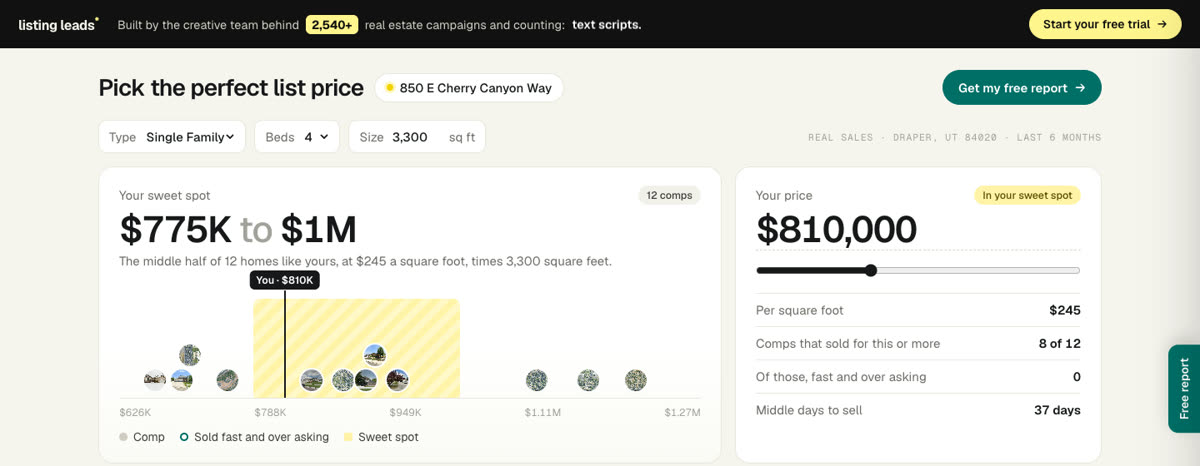
Copy this into Claude, fill in the blanks, and you get your own version. It is the same brief that built this one.
( The prompt )
You are a senior product designer and a pricing expert. Build me a free home pricing tool for homeowners, as one page. It should feel like a calm tool, not a marketing site. The seller should leave knowing their price and trusting me to get it.

MY DATA
- A spreadsheet of homes that sold near me in the last 6 months: [attach your MLS export]. Use street, subdivision, type, beds, baths, square feet, year built, list price, sold price, days on market and sold date.
- Never show a house number, an agent or an owner.

HOW IT WORKS
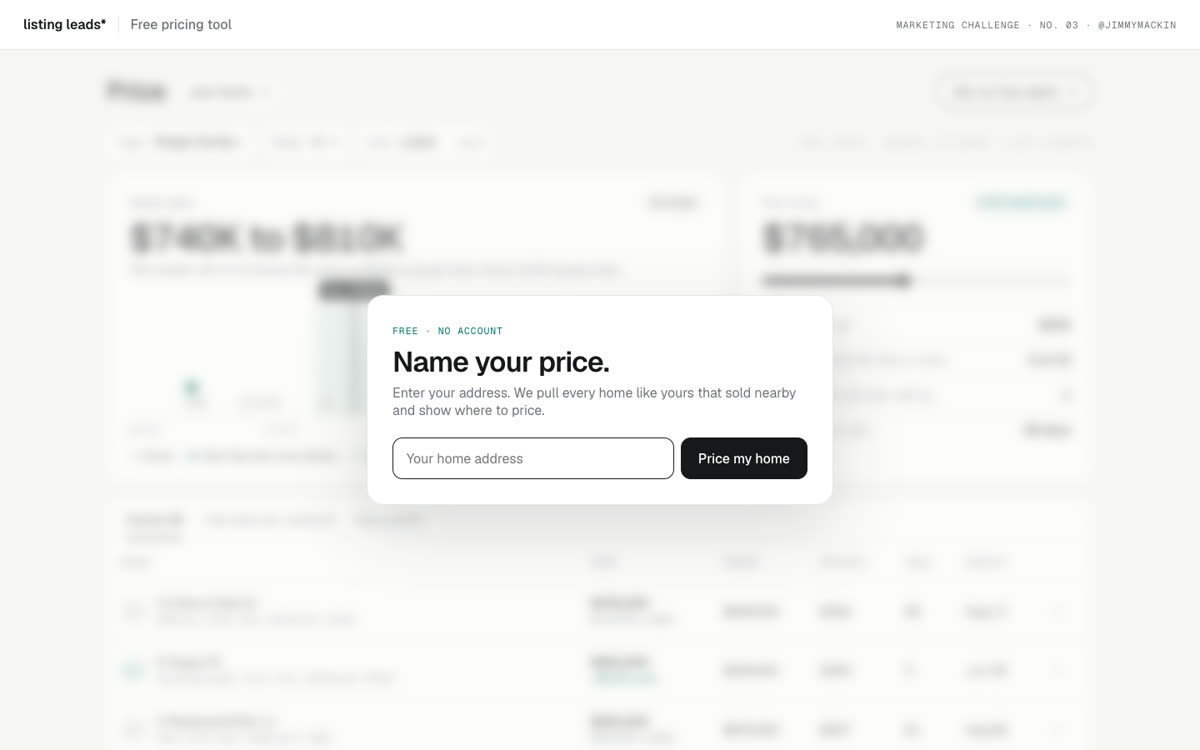
- One step. The page opens on the real tool, blurred, with one box in front: "Pick the perfect list price." The homeowner types an address (with suggestions as they type) and the blur lifts.
- Pick up to 12 comps: the same kind of home, close in size and bedrooms, newer sales first, closer homes first.
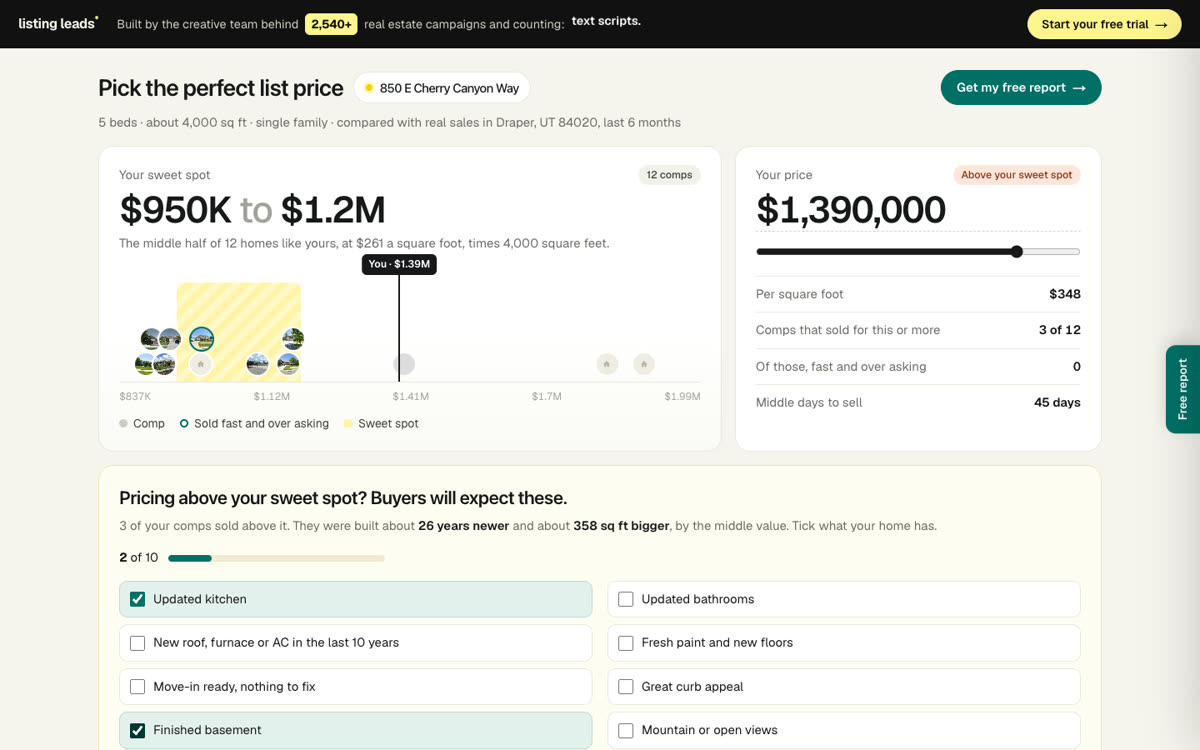
- The sweet spot is the middle half of the comps' price per square foot, times the home's size. Show it big, as a range.
- A price line with every comp as a small round photo. Shade the sweet spot. Mark "You".
- "Your price": type or slide it. Show price per square foot, how many comps sold for that or more, how many of those sold fast and over asking, and the middle days to sell.
- If the price is above the sweet spot, show "Buyers will expect these": a checklist of what makes a home worth more (updated kitchen, new roof, finished basement, views...). Add one real fact from the comps that sold higher, like how much newer they were.
- A map with every comp as a price pin, its photo on tap, and a pin on the homeowner's street. Hovering a row lights its pin.
- A comps table with photos, and an x to remove any comp that does not fit. The sweet spot redraws.

THE OFFER
- A drawer slides out from the right: "Get your home value report", with a preview of their report, and one button that texts me the request.

THE LOOK
- Warm cream page, white cards, one soft yellow highlight, one teal action color. Geist for text, Geist Mono for small labels.

RULES
- Real numbers only. No made-up dollar amounts.
- Plain, short words. No em dashes.
- Works on a phone.
How it got built.
Every version, the prompt I gave, and what changed. Newest at the bottom.
v1
Oct 26, 2026
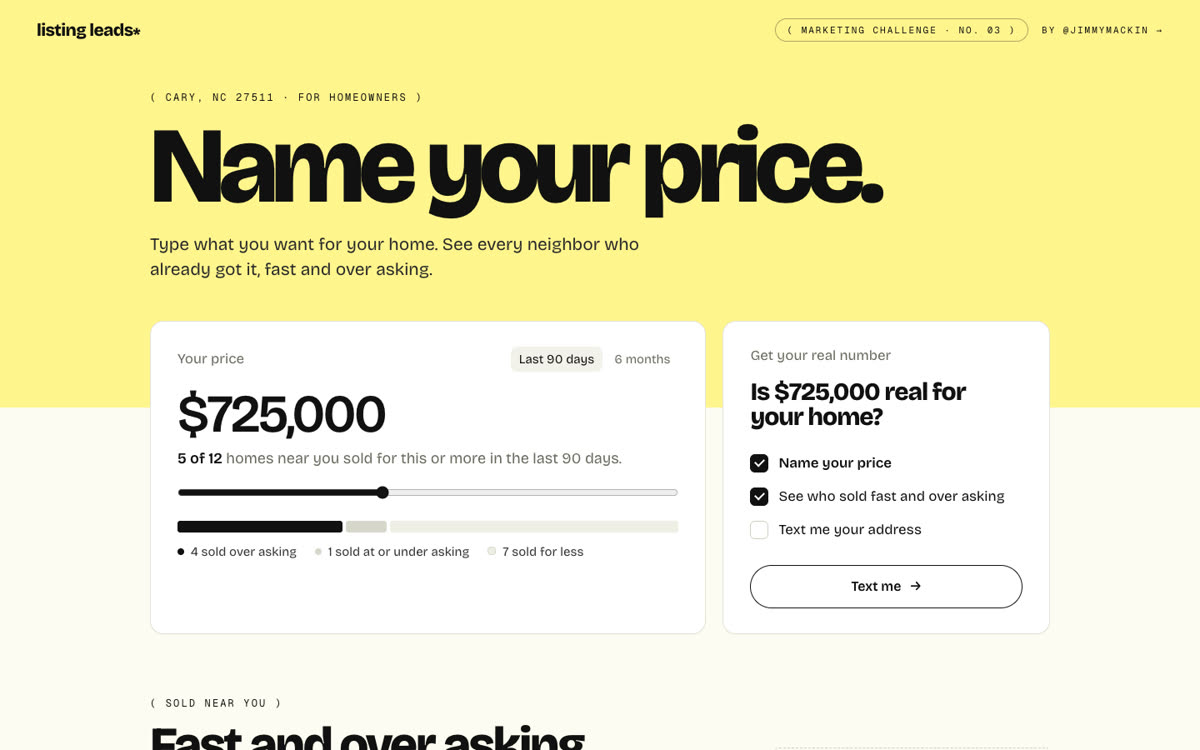
Name your price, first concept
“Every seller asks “what can I get?” Build a NAME YOUR PRICE calculator that answers with proof: type a price, see how many nearby homes got it, then every home that sold fast and over asking.”@jimmymackin
A seller types a price and sees how many nearby homes got it.
A table of sales that went fast and over asking. Sample numbers for now.
v2
Oct 26, 2026
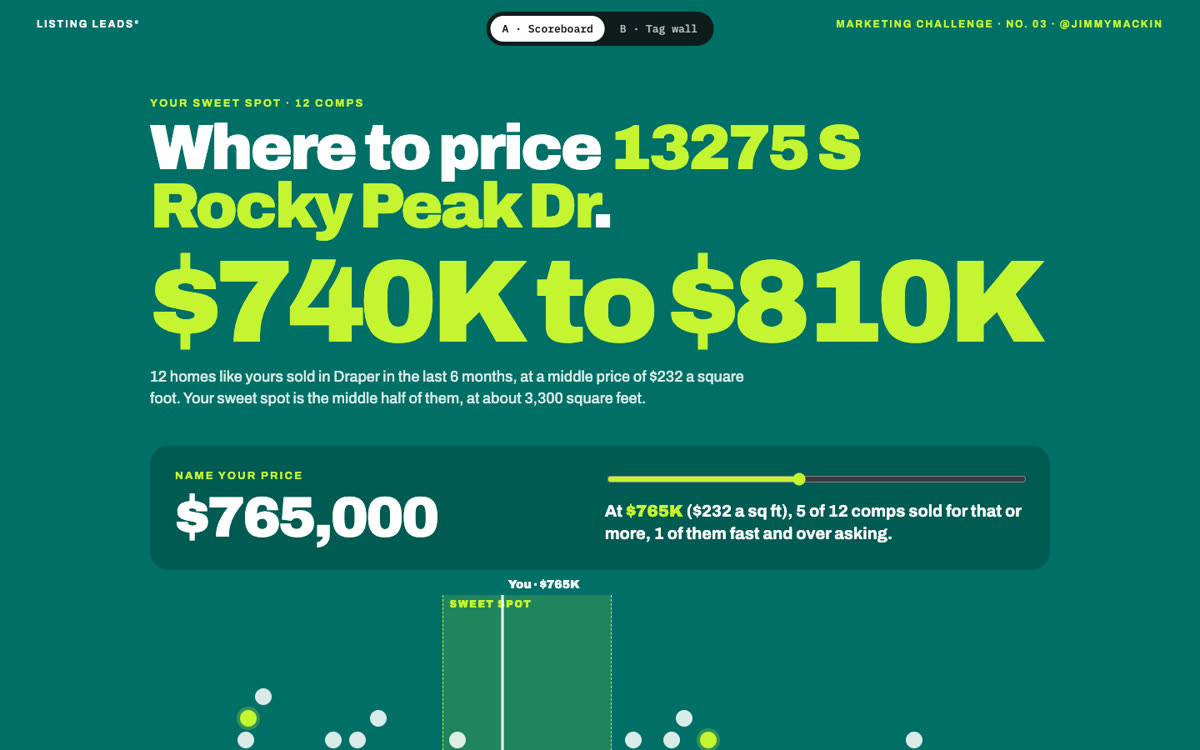
Two looks, real Draper sales
“Turn it into a free pricing tool. Address in, comps out, one clear range. Use real sales from my Draper MLS export. Let the seller remove a comp that does not fit. Show me two different looks.”@jimmymackin
Two looks: a teal and lime scoreboard, and a wall of paper price tags.
Real data: 262 homes that sold in Draper, Utah 84020 in the last 6 months.
Remove any comp that does not fit, and the sweet spot redraws.
v3
Oct 26, 2026
One step, a real dashboard
“Too many steps. One box, one address, and the real tool already showing behind it. It should feel like a dashboard an agent uses, not a landing page.”@jimmymackin
The tool sits blurred behind one address box.
Dashboard cards, a comps table with tabs, and a report offer.
v4
Oct 26, 2026
Photos, a map, and warmth
“Now give it warmth. A real photo on every comp. A map that adds context, not decoration. The report offer slides out as a drawer on its own. And make the top bar an ad for ListingLeads, with some fun in it.”@jimmymackin
Real listing photos for 258 of the 262 sales.
A map with price pins, photo pop-ups and a pin on your street.
Warm cream and one yellow highlight. The report offer slides out as a drawer.
Address suggestions as you type. The top bar became an ad for ListingLeads.
v5
Oct 26, 2026
Above the sweet spot
“Now teach the seller something. Price above the sweet spot and show what buyers expect at that price, plus one real fact from the comps that sold higher. Drop the filters. The address already knows the home.”@jimmymackin
No more type, beds and size boxes. The address sets the home.
Price above the sweet spot and a checklist appears: what buyers pay more for, plus a real fact from the comps that sold higher.
What the seller ticks goes into their report request.
Shipped to listingleads.com.
How we checked it.
16 automatic tests on the math: comps, the sweet spot, distance, address suggestions and the report text.
Tapped through as a logged-out visitor: address, sweet spot, removing a comp, the map, the drawer.
Checked on a phone and a desktop. Nothing scrolls sideways.
Every sale is real, from one Draper MLS export. No house numbers, agents or owners are shown.