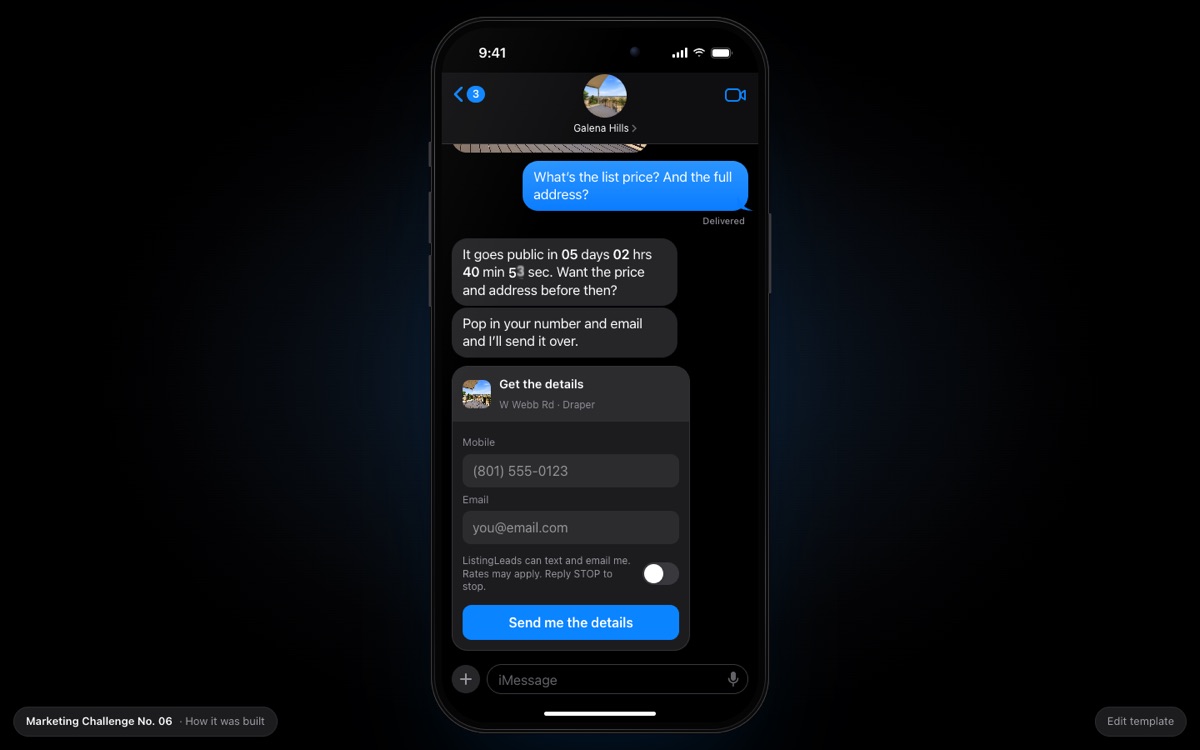
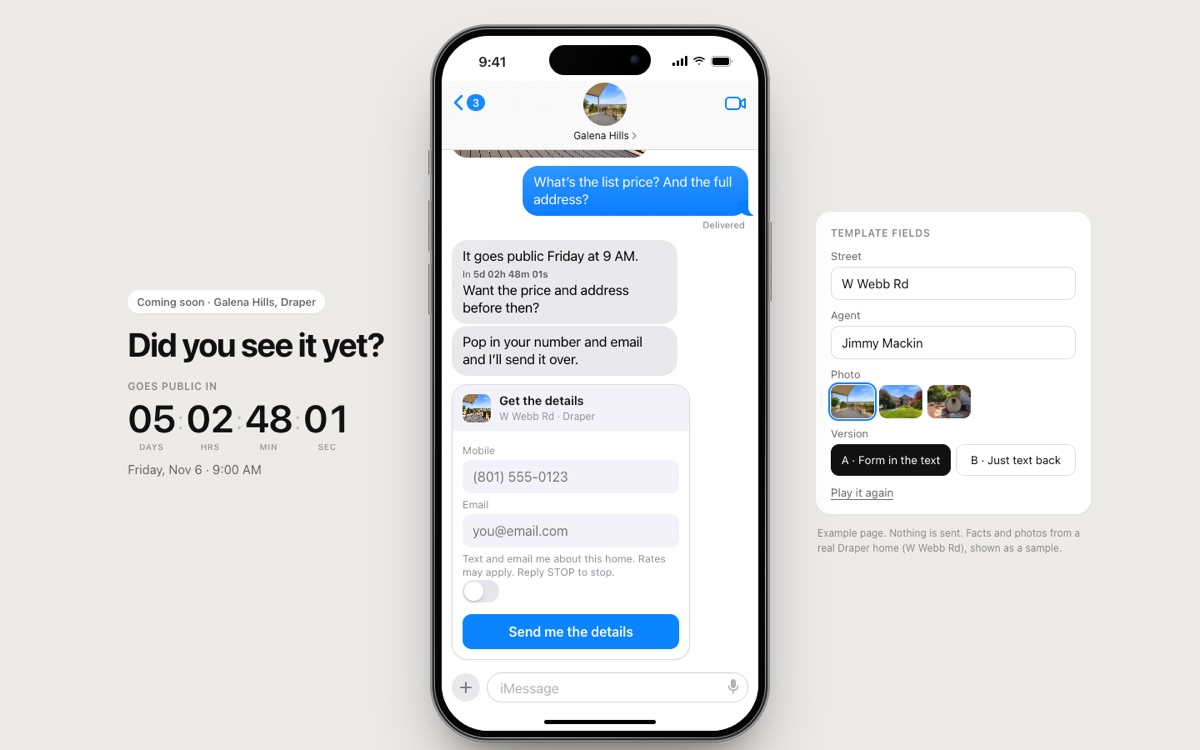
The whole page is a text conversation on an iPhone. A friend asks if you saw the new home, sends a photo, you ask for the price, the countdown is written into the reply, and the form drops into the thread.
Copy this into Claude, fill in the blanks, and you get your own version. It is the same brief that built this one.
( The prompt )
You are a senior product designer and a front-end engineer. Build me a coming soon landing page for one home that looks and works exactly like a text conversation on an iPhone. It has to feel real, and on a real phone the thread should fill the whole screen.

THE HOME
- The street (no house number): [street]
- My name, as the listing agent: [your name]
- One great photo with no house number in it: [photo]
- When it goes public: [day and time, with time zone]. The day before is the private showing day.

THE PHONE (desktop)
- A hyper-real iPhone in the middle of a black page: a black titanium frame, the Dynamic Island, the status bar with 9:41, signal, wifi and battery, and a home bar.
- iOS dark mode Messages: gray bubbles from them, blue bubbles from you, with real bubble tails, "Delivered" under your last text, typing dots before each of their texts, and the text box at the bottom.
- A soft blue light behind the phone. Nothing else on the page.

THE THREAD (it plays by itself)
1. Them: "Did you see that new home on [street] that [your name] just listed?"
2. Them: the photo.
3. You: "What's the list price? And the full address?" It waits in the text box with a pulsing send button, then sends by itself after 3 seconds.
4. Them: "It goes public in 05 days 02 hrs 44 min 05 sec. Want the price and address before then?" The numbers are a live countdown, written into the text, and every digit rolls when it changes.
5. Them: "Pop in your number and email and I'll send it over."
6. A form card drops into the thread like an iMessage app: the photo and street on top, mobile and email (both required), an iOS switch for text and email consent, and one blue button: "Send me the details." Format the phone as they type and say plainly what is missing.
7. When it sends, their number and email appear as a blue text. Then: "Got it. You're on the list." and "Want a private look [showing day], the day before it goes public?" with times as reply buttons. Tapping one sends it and confirms the time.

THE FORM
- It posts to my server, which emails me the lead. Only my own site can call it, a visitor can send 5 times in 10 minutes at most, and the consent switch must be on.

RULES
- Street names only. No house numbers, in the text or in the photo.
- Count down to the real go-public time, never a made up one.
- Plain, short words. No em dashes.
How it got built.
Every version, the prompt I gave, and what changed. Newest at the bottom.
v1
Oct 31, 2026
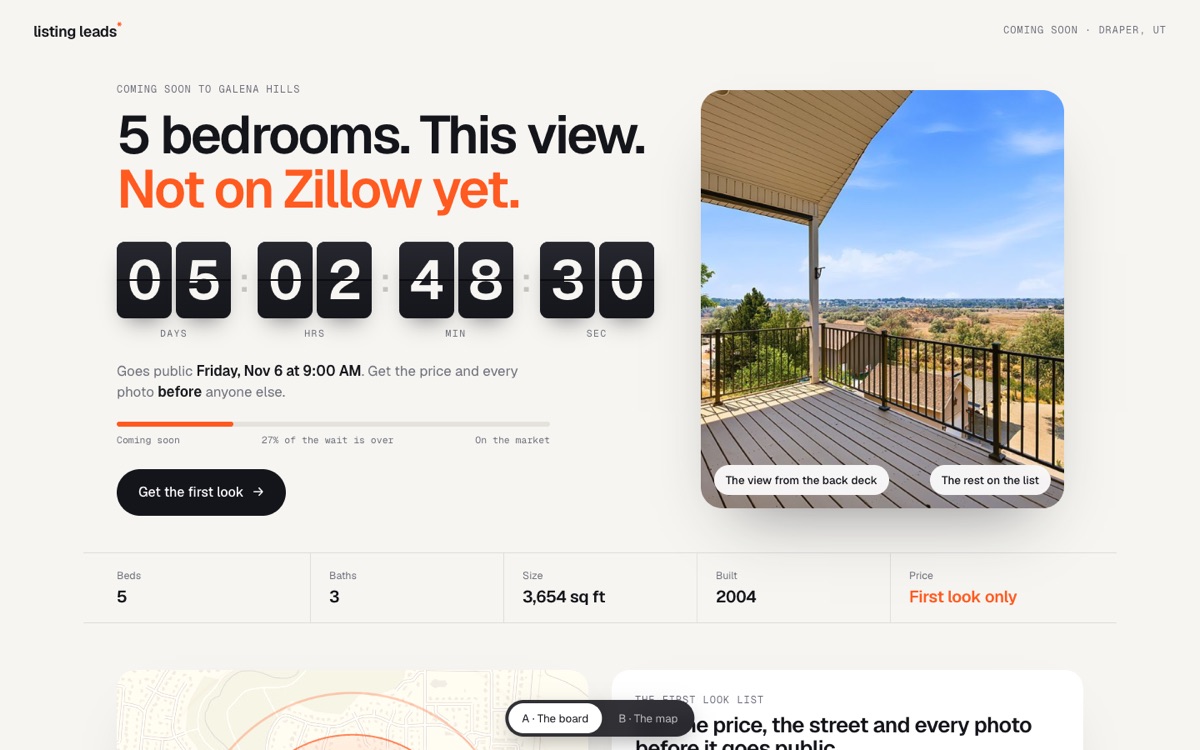
A countdown, a map and one photo
“The perfect landing page for a coming soon listing: a countdown timer with a map of the location and maybe one photo of the home. The countdown needs to be insanely good, and I want a solid form.”@jimmymackin
A split-flap countdown board, the view from the deck and the home facts.
A map with a circle near the home, never on the house.
One ask: get the first look.
v2
Oct 31, 2026
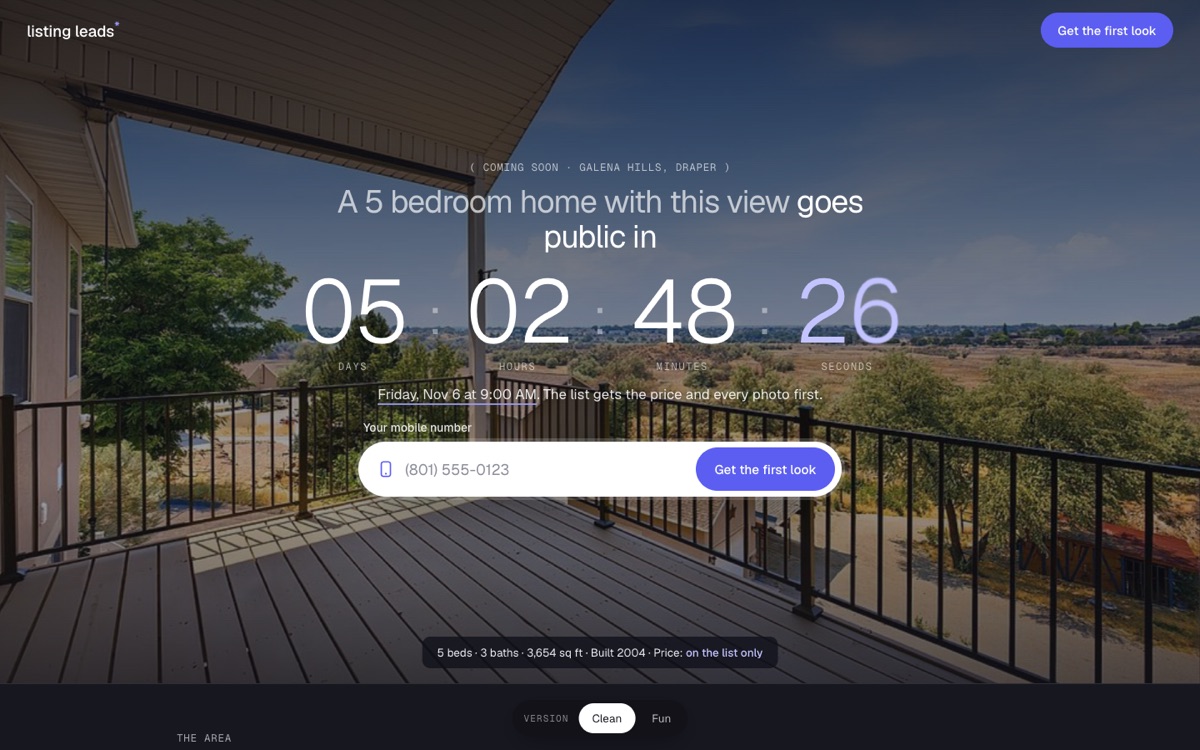
A step by step flow, and pick a showing first
“Make it look like the home value page. Everything needs to be tighter. Email is a must, and the capture needs to be a workflow, not a popup. I love the calendar idea.”@jimmymackin
Clean and Fun looks behind one switch.
The form became a full-page flow: pick a showing, then name, email and mobile, then two quick taps, then a ticket.
Email is required.
v3
Oct 31, 2026
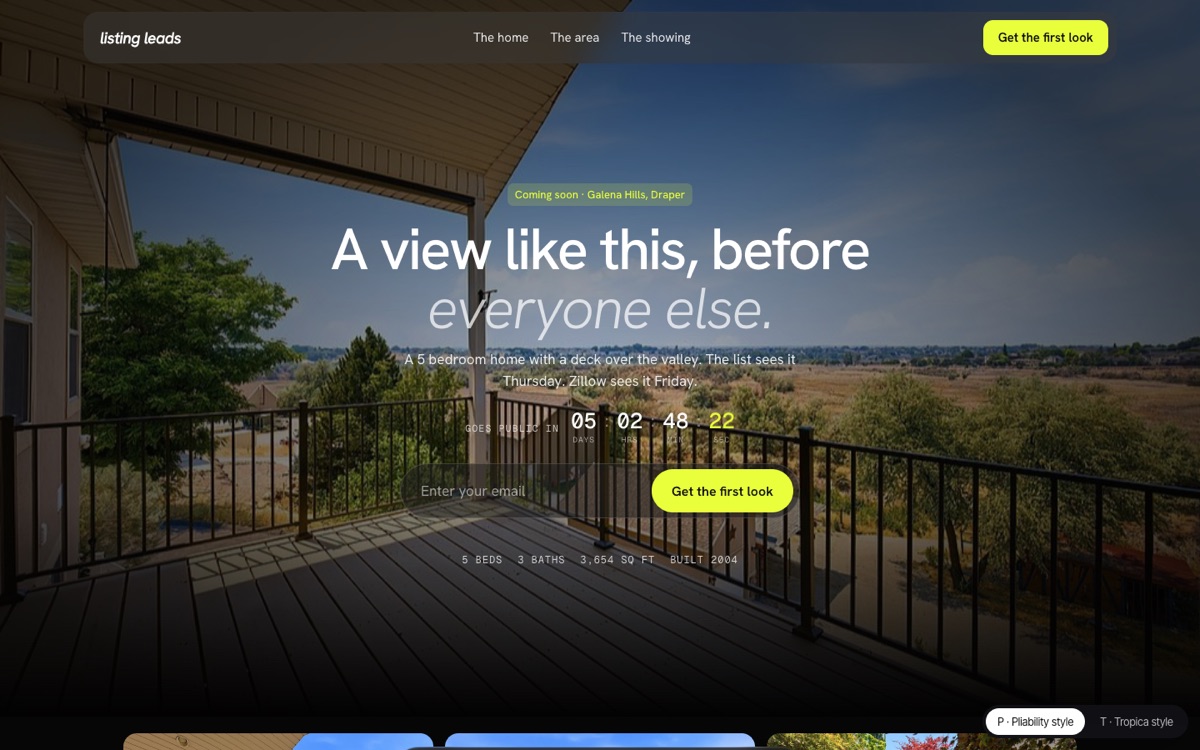
Two more looks: Pliability and Tropica
“Here are two more styles I love: pliability.com and tropica.framer.website.”@jimmymackin
A black page with a lime accent and a scroll story: today, Thursday, Friday.
A white page with a deep green showing card and a paragraph that sharpens as you scroll.
v4
Oct 31, 2026
Klarna and Cosmos
“Let’s cook up a Klarna version as well. Another example: cosmos.so.”@jimmymackin
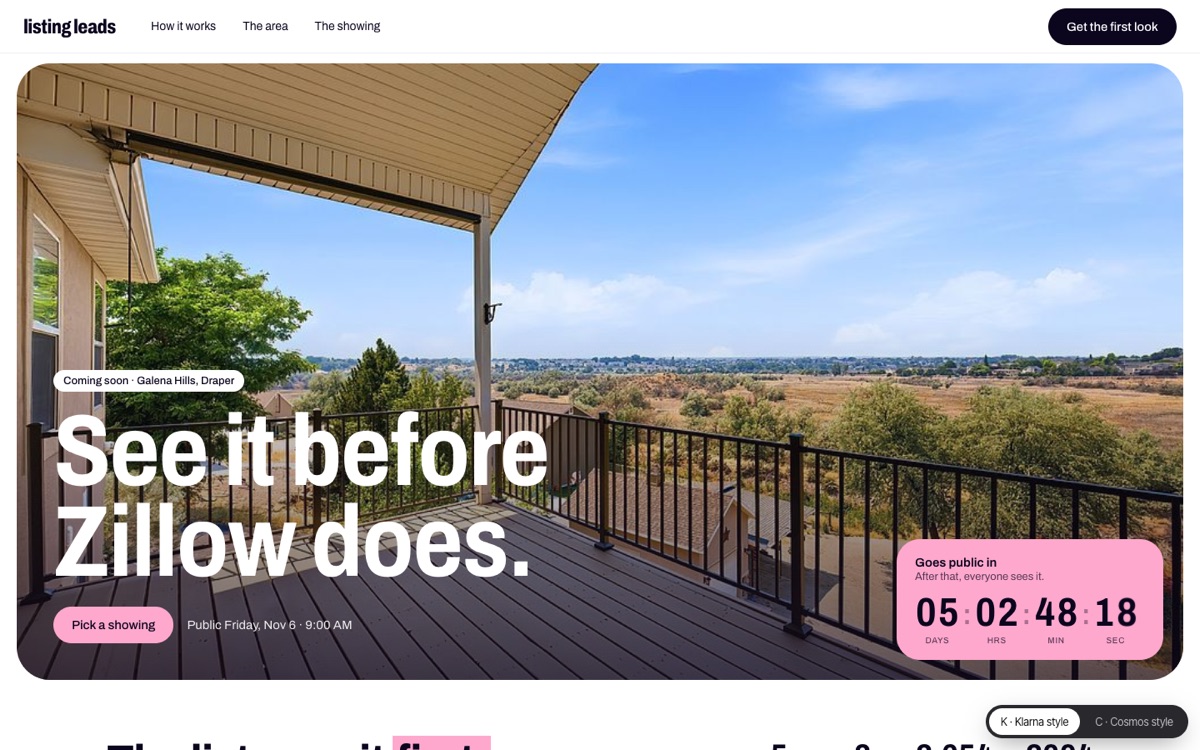
Klarna: heavy type, one pink, and three circles like pay in 4: today, Thursday, then everyone else.
Cosmos: the home’s photos and facts float around the headline, and a giant list of showing times.
v5
Oct 31, 2026
Saki
“Love this design style as well: sakiproducts.com. I am trying to build a library of landing pages that can be made with prompts.”@jimmymackin
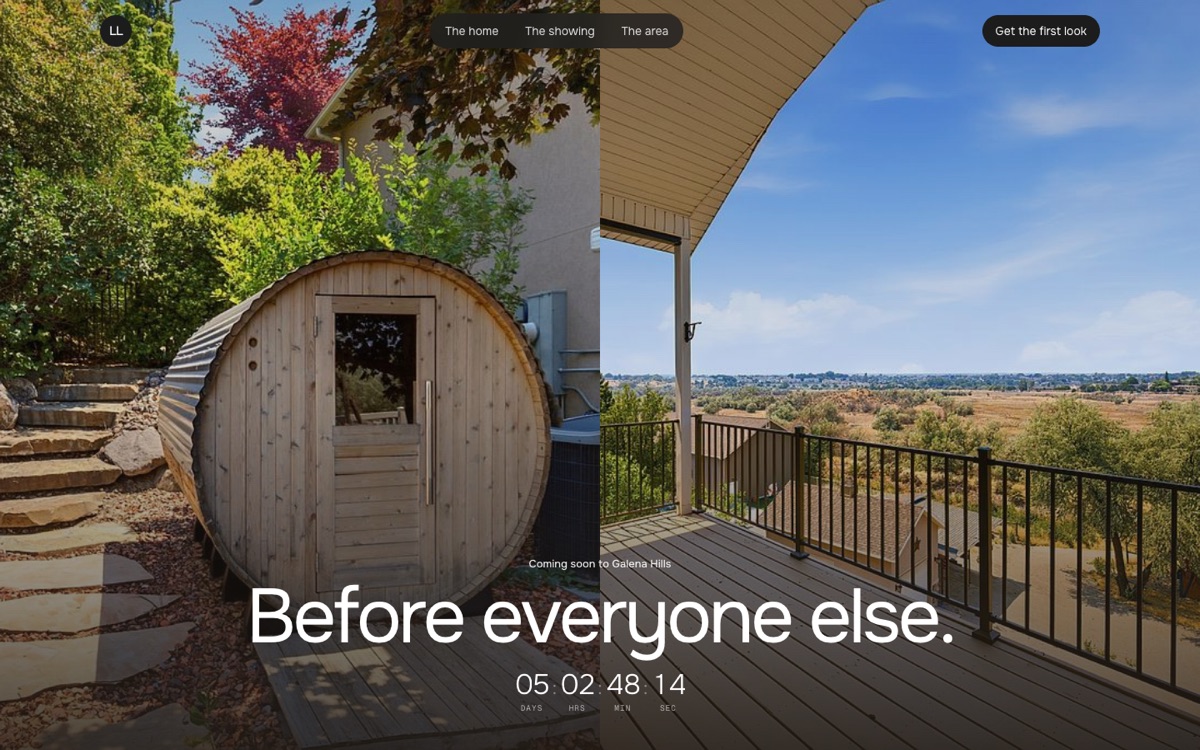
A split photo hero, a paragraph that fills in word by word with photo chips, and a dark showing section.
v6
Oct 31, 2026
The text thread
“Let’s go with a hyper-realistic iPhone and it’s a text conversation. Did you see that new home on (street) that (agent) just listed? Then a photo. Then the person replies: What is the list price? And full address? Then they type their phone number and email to get the details. Then a dynamic form appears in the text conversation.”@jimmymackin
The page became an iPhone playing a real Messages thread, with typing dots and bubble tails.
Two ways to answer: a form inside the thread, or just texting back. The form won.
v7
Nov 1, 2026
All black, the countdown in the message
“Make it slicker, all black. We could embed the countdown into the message. Let’s go with the one in the words and remove the text on the left.”@jimmymackin
iOS dark mode, a black titanium frame and a soft blue light.
The countdown is written into the text, and every digit rolls.
Only the phone on the page. On a real phone the thread fills the screen.
The form really sends: the lead is emailed to ListingLeads.
How we checked it.
17 automatic tests: the go-public time (always a Friday at 9:00 AM in Draper, at least 36 hours away, summer and winter time), the countdown digits, the showing day, phone and email checks, and the form endpoint.
The form endpoint only answers our own site, slows a visitor down after 5 sends in 10 minutes, needs the consent switch on, and escapes what people type.
As a logged-out visitor on a phone and a desktop: watched the thread play, sent the form empty (it says what is missing), filled it in, sent it, and picked a showing time.
No street has a house number, and the photos show none.